YouGooDai
Mobile of the Day

YouGooDai

5.0 FREE
  • Screenshot 1
  • Screenshot 2
  • Screenshot 3
  • Screenshot 4

Description

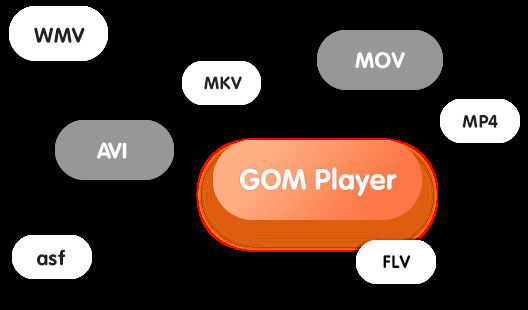
About GOM Player - Free Video PlayerGOM Player - Free Video Player is a versatile media player that stands out for its extensive format support and user-friendly features. With a rich history of delivering quality playback options, it caters to a diverse audience, including those seeking VR content. The player is ideal for anyone looking for a robust video solution on their devices. Features of GOM Player - Free Video Player - Extensive Format Support: GOM Player supports a multitude of video formats, including AVI, MP4, MKV, FLV, WMV, and MOV. This makes it a flexible tool for any user, ensuring compatibility with various video files. On Windows, it also provides access to codecs, helping to play even corrupted or partially downloaded files. - Comprehensive Subtitle Library: With a decade's worth of subtitle data, GOM Player offers users access to an impressive Subtitle Library. Users can easily sync subtitles automatically and receive recommendations for suitable options. This feature enhances the viewing experience, particularly for foreign films or shows. - 360-Degree VR Playback: GOM Player allows users to enjoy immersive 360-degree videos in VR mode, bringing a new level of engagement to video playback. However, it's worth noting that this feature is not available on Windows XP or Mac OS. This capability sets GOM Player apart for those who enjoy virtual reality content. - User-Friendly Interface: The interface of GOM Player is designed to be intuitive and accessible for users of all skill levels. Navigation through menus and features is seamless, enabling quick access to playback options and settings. This design focus enhances user satisfaction and retention. - Compatibility Across Platforms: GOM Player is available on various platforms, making it easy for users to access and enjoy their media files wherever they are. Full support for Mac OS ensures that a broader range of users can take advantage of its features. This cross-compatibility is a significant advantage for multi-device households. Reviewed by Thomas P. LarsonShow MoreShow Less

Guides & Tutorials for GOM Player - Free Video Player

How to install GOM Player - Free Video Player
  1. Click the Preview / Download button above.
  2. Once redirected, accept the terms and click Install.
  3. Wait for the GOM Player - Free Video Player download to finish on your device.
How to use GOM Player - Free Video Player

This software is primarily used for its core features described above. Open the app after installation to explore its capabilities.

User Reviews for GOM Player - Free Video Player 0

    No reviews found

Similar Apps
